



Teamwork.com time tracking, filled in automatically
Keep Teamwork.com for your projects, and stop logging hours by hand. The DoneThat Teamwork.com integration records your work automatically and adds a time entry for each task you worked on to the mapped Teamwork project, every day you submit.
Beta, on DoneThat's Core plan and above.
How it works
- 1
DoneThat records your day
The desktop app for Mac, Windows and Linux reconstructs your work from screen activity, with no timer to start or stop. Screenshots are processed and deleted, never stored.
- 2
Projects are matched
Teamwork projects you logged time on in the last 30 days are imported and matched to DoneThat projects with the same name, grouped by company. If you have never logged time on the site, the projects you are a member of are imported instead.
- 3
Each task becomes an entry
When you submit your day, DoneThat adds one time entry per task to the mapped Teamwork project, with the time the task took.
DoneThat and Teamwork.com in action
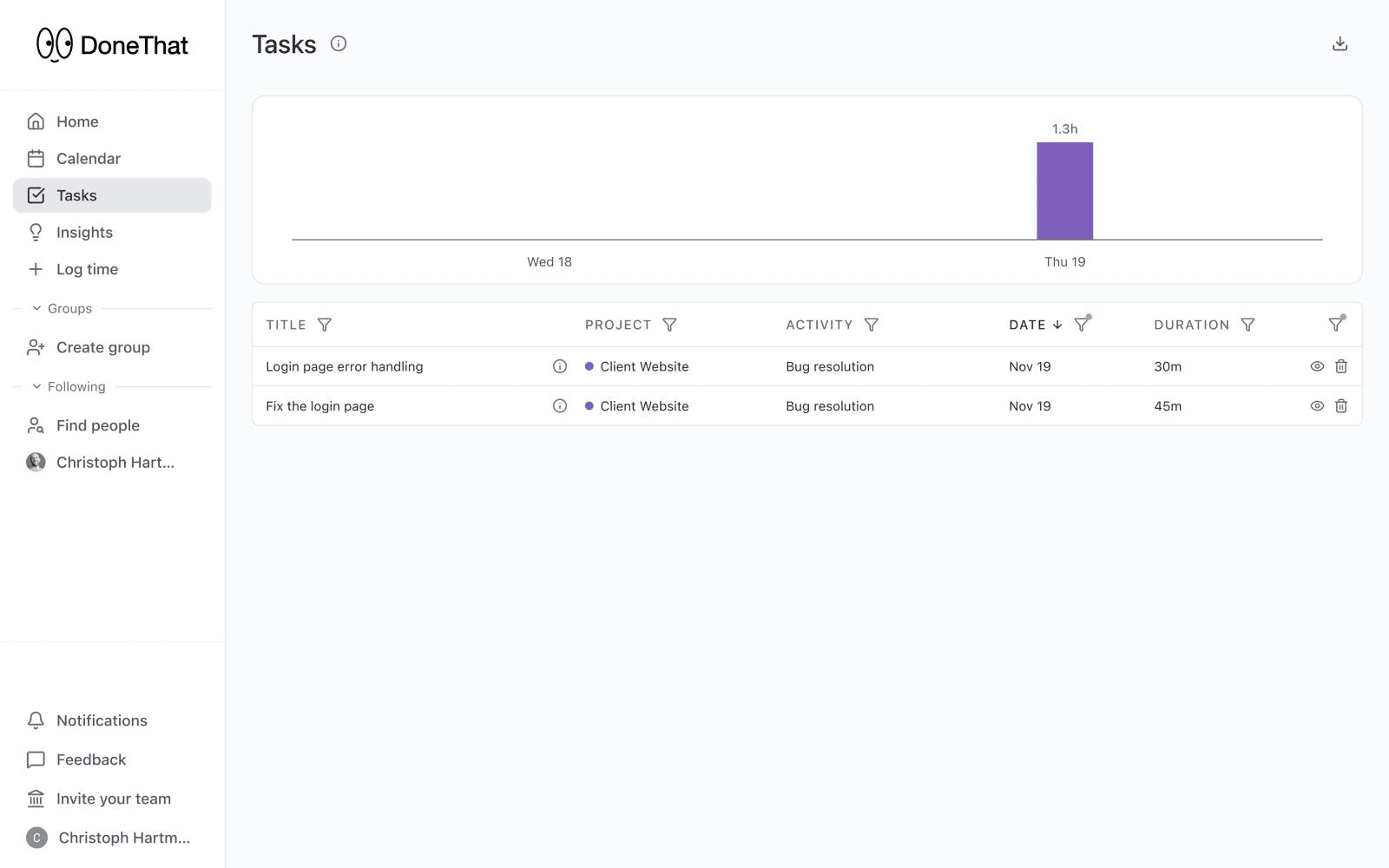
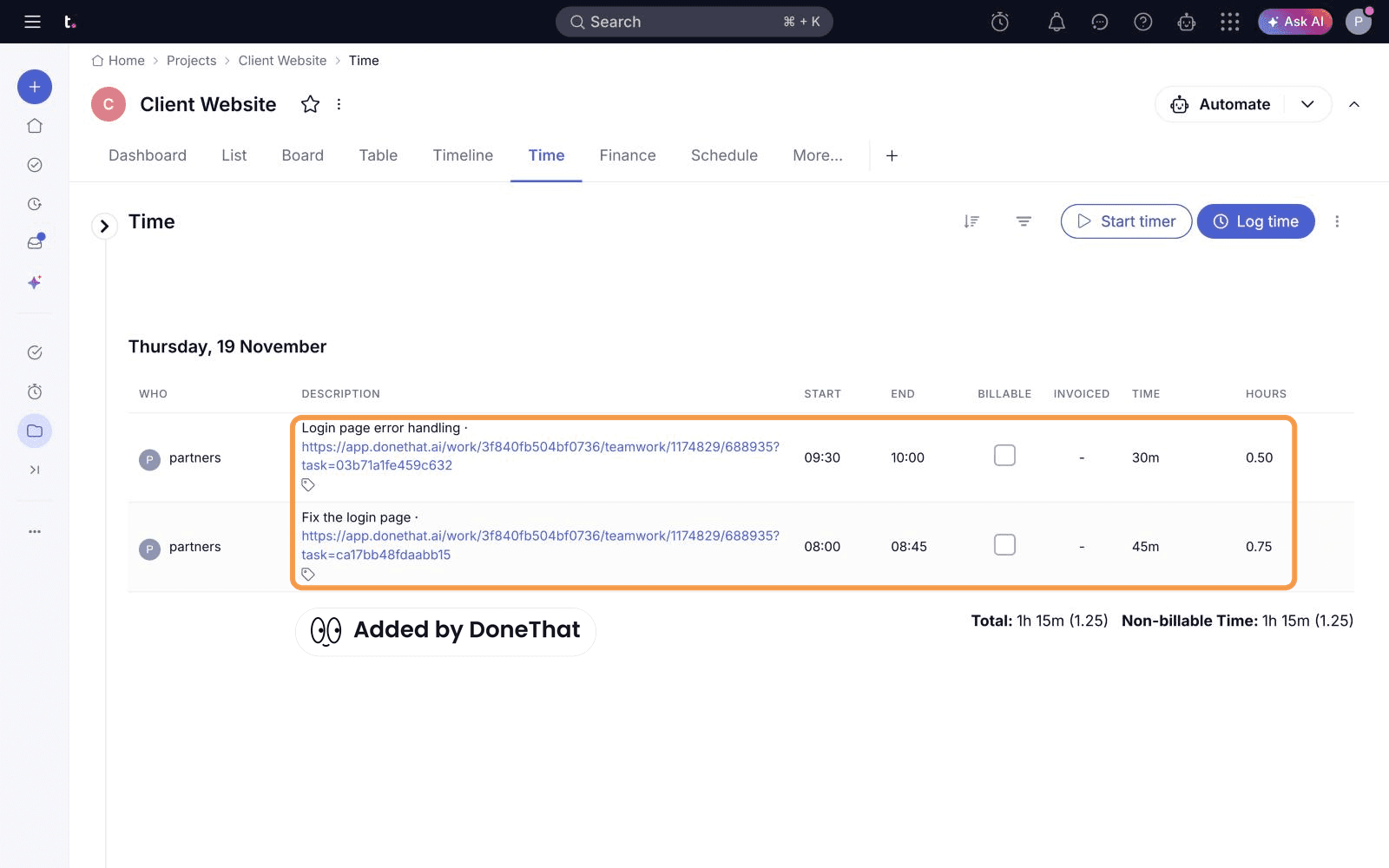
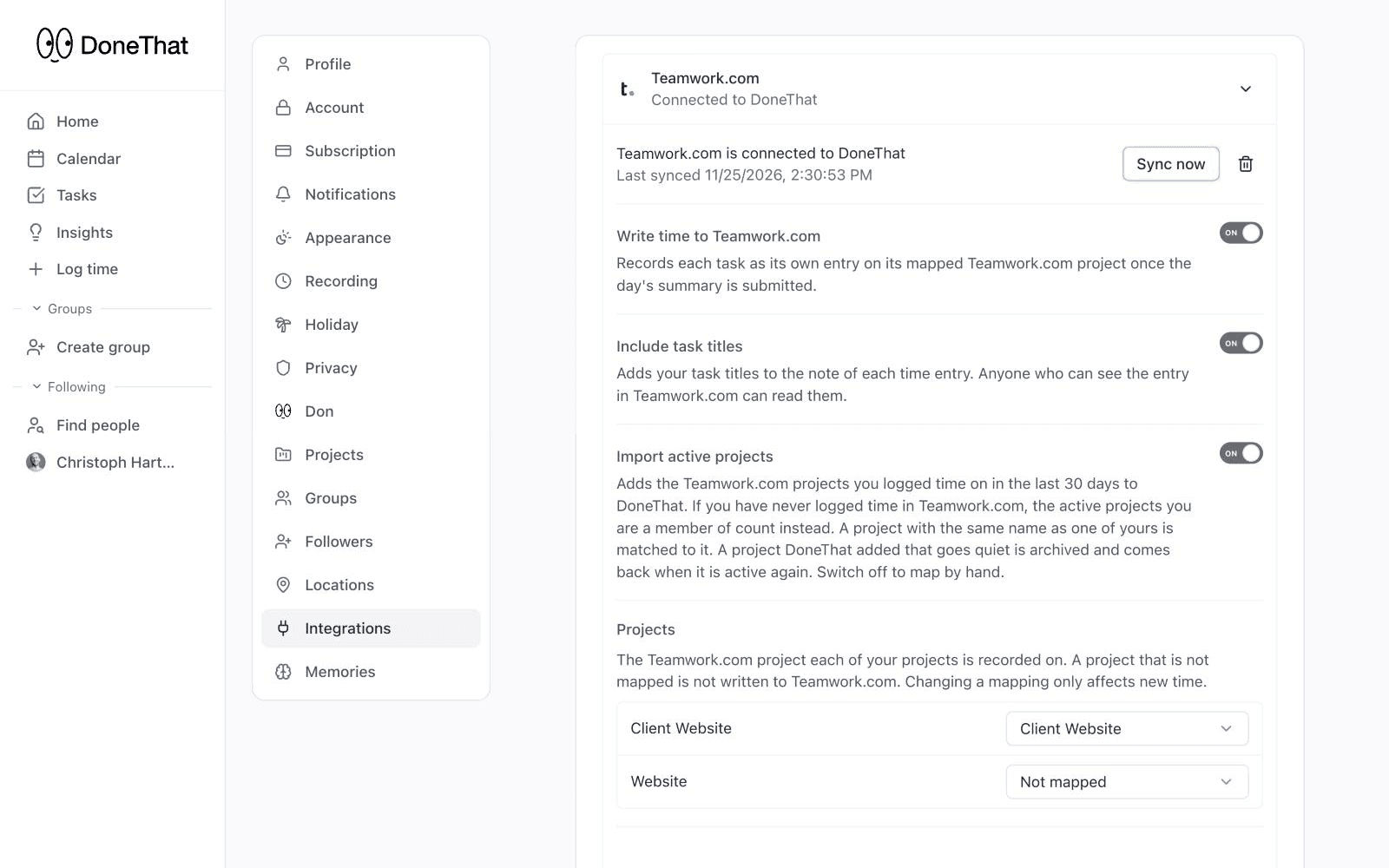
Screenshot 1 of 3
What DoneThat writes, and where
- Time entry per task per day
- A project-level time entry on the mapped project, starting when you began the task that day, or at noon when the start is unknown. The description holds the task title and a link back to DoneThat, or only the link if you switch task titles off. New entries are not billable; when DoneThat updates an entry, it keeps the billable setting, tags and task you gave it.
- Projects in DoneThat
- Active Teamwork projects you can log time on and logged time on in the last 30 days become DoneThat projects, and their companies become portfolios. Archived and completed projects are skipped; map others by hand. A Teamwork project can also be linked to a team project in DoneThat, not only to your own.
- When things change
- Edit a task in DoneThat and its entry follows. Move it to another project within 14 days and the entry moves to that project's Teamwork project, or is removed if that project is not mapped. Hide or delete the task, or make its project private, and the entry is removed. If you change an entry's time by hand in Teamwork.com, DoneThat stops updating it, and one you delete is never written again.
Set it up
- In DoneThat, open Settings, then Integrations, and find Teamwork.com under Work tools.
- Press Connect and sign in to Teamwork.com. Each site you sign in to is its own connection.
- Check the project mapping, then submit your day as usual.
Limits
- Entries are written only after you submit your day. Drafts are never sent.
- New time goes back 14 days at most. Corrections to older days are still made.
- Only work recorded after a project is mapped is sent, and changing a mapping does not move time already written. Hidden tasks and private or confidential projects are never sent.
- Projects that require a task on every time entry are not supported: those entries fail.
- No billable time is set. DoneThat is not built for invoicing.
- Teamwork allows a limited number of requests per site, shared with everyone on it, so entries can take a while to appear.
- Disconnecting stops new entries. Teamwork has no way for DoneThat to revoke its own access, so remove DoneThat in Teamwork.com too. Time already in Teamwork stays there.
Questions about DoneThat and Teamwork.com
- Does DoneThat replace Teamwork.com?
- No. Teamwork keeps your projects, tasks and billing. DoneThat fills in the hours.
- Which Teamwork task does the time go on?
- None. Entries go on the project, so no Teamwork task is needed. If you move an entry to a task in Teamwork, DoneThat keeps it there.
- Will my own Teamwork timer double count?
- If you also log the same work in Teamwork, it is counted twice. Pick one source per project.
- Which DoneThat plan do I need?
- Work tool integrations are in beta on the Core plan and above, the same plans that include the DoneThat API and MCP access.
Related integrations
- HarvestKeep the tracker your company requires, and stop filling it in by hand: one Harvest entry per task per day, on your assigned Harvest task.
- ClockifyKeep the tracker your company requires, and stop filling it in by hand: one Clockify entry per task per day, with your tags and billable setting kept.
- BasecampLinks your recorded work to your Basecamp to-dos and adds a Timesheet entry to each one, or one comment per to-do per day on plans without the Timesheet.


See all integrations. DoneThat is not created by, affiliated with, or supported by Teamwork.com. Teamwork.com is a trademark of its owner.
Ready to try DoneThat?
DoneThat records your work automatically, without timers. 14-day free trial.